
Fieldwork Integration
Connect Smarter Launch to Fieldwork HQ to keep your customer records, proposals, and documents in sync — automatically. Eliminate duplicate data entry and give your field team access to every proposal directly inside Fieldwork.
Fieldwork HQ
Field Service Management
Fieldwork HQ is a field service management platform for pest control and home services companies. The Smarter Launch integration connects your proposal workflow to the platform your team relies on daily.
Proposals synced. Estimates created.
The Fieldwork integration does more than sync customers — it pushes every proposal into Fieldwork as an estimate and keeps status, documents, and records current as deals progress.

Two-Way Customer Sync
New customers push from Smarter Launch to Fieldwork automatically. Smart matching checks by email and address before creating records. Import existing Fieldwork customers complete with all contacts and addresses.

Proposal Sync as Estimates
Proposals are synced to Fieldwork as estimates on the matching customer record. Status stays in sync — pending, accepted, or declined. Line items, amounts, expiration dates, and notes all carry over.

Proposal & Document Delivery
Proposal PDFs attach to the matching Fieldwork estimate on send or acceptance. Additional files and attachments are pushed alongside, keeping a complete paper trail without manual uploads.

Customer Search & Linking
Search your Fieldwork customer base from Smarter Launch by name, email, phone, address, account number, or service location ID. Link proposals to existing records without creating duplicates.

Team & Location Import
Pull your Fieldwork branches as service locations and import employees in one step, with Smarter Launch accounts created and assigned to the correct locations automatically.
Set up once. Runs forever.
Connect your Fieldwork account
Enter your Fieldwork API credentials in Smarter Launch integration settings. The connection is verified instantly.
Import branches and team
Pull your Fieldwork branches as service locations and import employees in one click, with accounts created automatically.
Configure sync rules
Choose when customers push to Fieldwork — on creation or proposal acceptance. Set estimate and document delivery preferences once.
Send proposals as normal
Your team works in Smarter Launch. Estimates, customer records, and PDFs flow to Fieldwork without any extra steps.
Status stays in sync
As proposals move from pending to accepted or declined, the matching Fieldwork estimate updates automatically.
What flows where.

Smarter Launch
Proposals & scheduling
Fieldwork HQ
Your CRM of record
From
Smarter Launch → Fieldwork
- New customers pushed automatically
- Optional: push only on proposal acceptance
- Smart matching by email and address before creating records
- Service addresses and contacts synced alongside primary record
- Proposals synced as estimates on the customer record
- Estimate status kept in sync — pending, accepted, declined
- Line items, amounts, expiration dates, and notes carried over
- Proposal PDFs attached to the matching estimate
- Additional attachments and files included
From
Fieldwork → Smarter Launch
- Fieldwork branches imported as service locations
- Employees imported and assigned to locations
- Existing customers imported with contacts and addresses
- Records stay current as changes are made in Fieldwork
Sync Configuration
- Push customers on creation, acceptance, or both
- Attach proposal PDFs on send, acceptance, or both
- Estimate status syncs as proposal lifecycle progresses
- Assign estimates to employees or service routes
- Include additional attachments alongside proposal PDF
Stop entering the same data twice.

Estimate Sync
Proposals live in both systems — estimates are created and updated in Fieldwork automatically as proposals progress

Duplicate Prevention
No duplicate records — smart matching links to existing Fieldwork customers before creating new ones
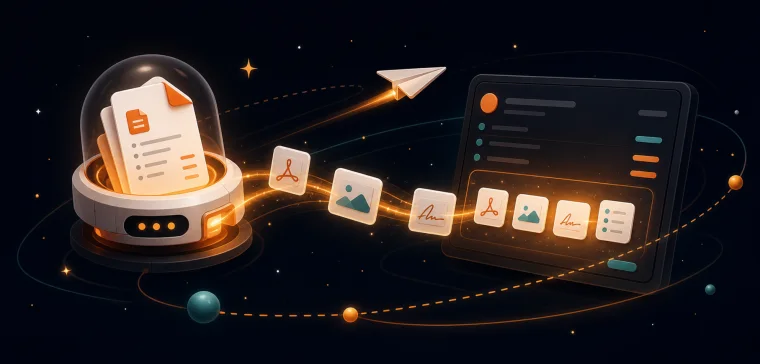
Document Delivery
Documents delivered automatically — PDFs and attachments land on the customer's Fieldwork estimate without manual uploads

Qualified Customer Push
Only real customers enter your CRM — tie customer creation to proposal acceptance so unqualified leads stay out

Team Import
Your team, connected from day one — import staff and locations from Fieldwork in one step
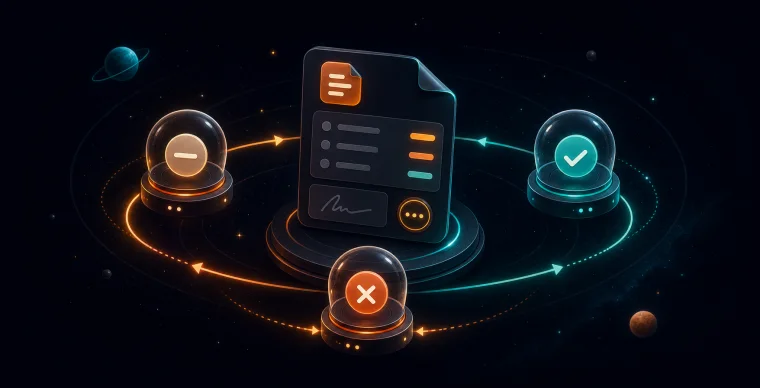
Status Sync
Status stays aligned — pending, accepted, and declined proposal states update the matching Fieldwork estimate automatically
Already using Fieldwork?
See the two-way sync in action — we'll walk through setup and show you exactly how proposals, estimates, and customer records flow between both platforms.
Related Resources
Stop losing deals.
Start closing them.
Join hundreds of growing field service companies using Smarter Launch to win more business every day.